Now Reading: REVVL 7 — The Brutally Honest Truth
-
01
REVVL 7 — The Brutally Honest Truth

Introduction
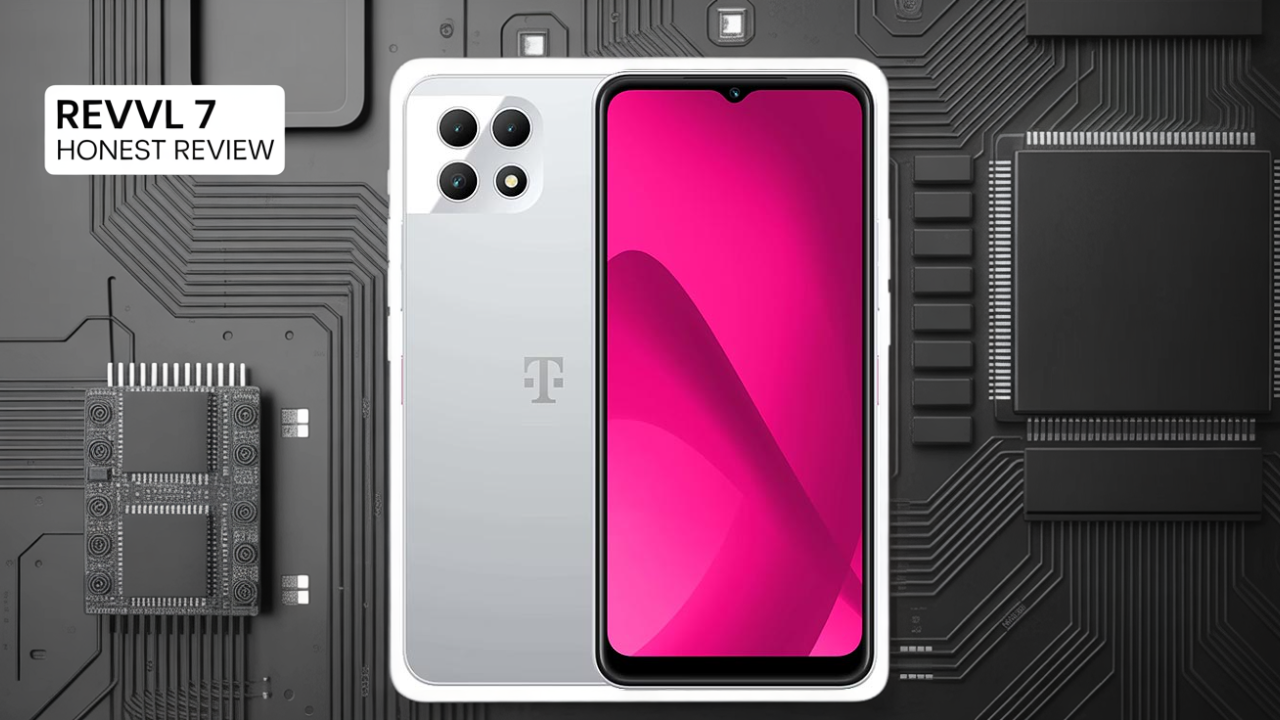
This is the REVVL 7. And it has a couple of big secrets T-Mobile isn’t shouting from the rooftops. The first one is about charging, and it’s the reason you might feel instantly ripped off. The second is a bizarre camera omission that makes no sense. T-Mobile won’t tell you, so I will. This is the brutally honest truth about the REVVL 7.
The Charging Conspiracy
You know the feeling. You walk out of the T-Mobile store with your new phone. Maybe you got it “free” by adding a line, maybe you paid the sub-$200 for it. You get home, you tear open that magenta box, and there it is. The REVVL 7.
It feels… substantial. It has some heft. You power it on, that bright screen comes to life, and you start setting up your life on this new slab.
For a few hours, it’s all good. You’re downloading apps, snapping a photo of your cat, sending some texts. Then you see the battery ticking down. 60%… 40%… 20%. Time to plug it in. You dig back into the box, pull out the paperwork, and underneath… there’s a cable. A USB-C to USB-C cable. And that’s it.
No charging brick.
Look, we’re getting used to this. Apple does it, Samsung does it. It’s a blatant cash grab disguised as “helping the environment,” but fine. You’ve got a drawer full of old chargers. You grab one, but the new cable doesn’t fit your old brick’s rectangular USB-A port. Minor annoyance. You remember your laptop has a USB-C port, so you plug it in there. The screen lights up, you see the charging icon. Problem solved, right?
You come back an hour later, and the battery has barely moved. It’s gone up maybe ten percent.
This is secret number one. The REVVL 7 supports 15-watt wired charging, but to get that speed, you specifically need a brick that supports USB Power Delivery (PD). Your old 5-watt cube won’t work. Your laptop’s port probably won’t work. You have to have the right kind of charger, and since they didn’t give you one, it’s a puzzle you have to solve and spend more money on.
Your “affordable” phone is dying, and you can’t charge it properly.
You finally get your hands on a proper USB-PD charger, plug it in, and it charges at a normal speed — but the frustration has already done its damage.
Weeks pass. You’ve been using the phone. One night, you’re tired, you change your PIN and sleep. Next morning — blank. You can’t remember it. Panic sets in. Everything is locked. And strangely enough, it all started with the frustration of the charging situation on day one.
The Escape Hatch: A Factory Reset Guide
Before continuing, here’s a massive warning: this is the nuclear option. A factory reset erases everything. If you have a backup, great. If not, that data is gone forever. If you accept this, here’s how to get back in.
Step 1: Power Off the Phone
Since you can’t unlock it, force it off by pressing and holding Power + Volume Up until the screen turns black.
Step 2: Enter Bootloader
Press and hold Power + Volume Down.
When the T-Mobile logo appears, release the Power button only, keep holding Volume Down.
Step 3: Recovery Mode
Use Volume Down to highlight Recovery Mode → press Power.
You will see an Android robot with “No command.”
Press and hold Power, tap Volume Up once.
You’re now in Recovery.
Step 4: Perform Factory Reset
-
Navigate to Wipe data/factory reset → press Power
-
Select Factory data reset → press Power
You’ll see “Data wipe complete.”
Step 5: Reboot
Select Reboot system now.
The phone restarts. After setup, Google’s FRP kicks in — log into the same Google account that was previously linked. If you don’t remember the password, you’re stuck again. A brutal final hurdle.
The Brutally Honest Review You Deserve
Now that you’re back in — or maybe deciding whether to buy this phone — here is the truth.
Display
Easily the phone’s standout feature:
-
6.58-inch AMOLED
-
1080p
-
120Hz refresh rate
Bright, smooth, punchy — impressive for the price.
But a good screen can’t fix everything.
Performance
Powered by Snapdragon 6 Gen 1 and 6GB RAM.
On paper: respectable.
In reality: hesitation, small delays, cheap-feeling haptics, inconsistent Bluetooth.
Not deal-breaking, but always reminding you this is a cost-cutting device.
Camera
A 50MP camera that sounds better than it performs.
-
Good in daylight
-
Soft, grainy, blurry in low light
-
No OIS
-
No ultrawide
-
And the second big secret: rear portrait mode exists, front portrait mode doesn’t. No selfie background blur at all.
A strange and lazy omission.
The REVVL 7 Pro Story
For ~$50 more, you get:
-
25W charging
-
Wireless charging
-
More storage
-
Same AMOLED panel
But it was mysteriously recalled in August 2024 due to calling issues — the calling app itself was crashing.
Huge red flag for the entire product line.
Conclusion: Final Verdict
The REVVL 7 is a phone built for promotions — the “free” phone with a new T-Mobile line. And it feels exactly like that.
-
No included PD charger
-
Annoying compatibility issues
-
Just-average performance
-
Incomplete camera system
-
And a sketchy Pro version recall
Who Should Get It?
Someone who gets it 100% free and only needs:
-
Light browsing
-
Texting
-
Calls
And is willing to buy a PD charger separately.
Who Should Avoid It?
Pretty much everyone else.
The frustrations, compromises, and missing features make it very hard to recommend.
Call to Action
If this article helped you get back into your phone or avoid a bad purchase, hit that Like button. And for more honest tech breakdowns without marketing fluff, make sure you subscribe. Stay safe out there.